
A parent in your city opens Google at eleven at night, after the kids are asleep, and types "best CBSE school near me." In that moment they are not browsing. They are deciding. They will compare three or four schools, book a couple of visits, and one of those schools will get their child for the next several years and several lakhs in fees. Every admission cycle, thousands of these searches happen in your catchment area, and the only question is whether your school shows up for them or your competitor does.
This is what makes Google Ads different from almost everything else a school spends on. A hoarding outside the metro station reaches everyone, most of whom have no school-age child and no intention of switching. A search ad reaches the one parent, at the exact moment, who is actively looking for what you offer. The intent is already there. You are not creating demand, you are catching it.
And yet most schools run Google Ads badly. They boost the homepage, bid on a handful of broad keywords, count the form fills, and quietly conclude that "online ads do not really work for us." The ads were never the problem. The setup was. This guide is the complete version: how to structure the account, target your actual catchment, write copy that speaks to parents, build the enquiry page, and crucially, tie spend back to real admissions instead of vanity form fills. It is written to be implemented, not admired.
In a Nutshell
- Search intent is the whole advantage. Google Ads reaches parents who are already looking for a school like yours, which is why it converts better than almost any other channel during an admission cycle.
- Structure the account around intent, not convenience. Separate brand, category ("best CBSE school in [city]"), competitor, and locality campaigns so each one gets the budget, copy, and bids it deserves.
- Lead with exact and phrase match, keep broad match on a short leash, and build a serious negative keyword list from day one to filter out job seekers and fee-only searches.
- Target your catchment, not your city. Radius and locality targeting around the campus is what separates a real prospect from a parent who will never make the school run.
- Write for the parent, not the brochure. Speak to the decision they are making, lead with the board, the location, and the proof, and send the click to a dedicated enquiry page, never the homepage.
- Track admissions, not form fills. Import offline conversions so Google learns which clicks become enrolled students and bids toward them. This is the step almost every school skips and the one that fixes "form fills but no admissions."
- Budget around the admission cycle. Be visible while parents are deciding, ramp as the window opens, and keep a lighter always-on presence so you are not invisible the rest of the year.
Table of Contents
- Why Search Intent Wins for Admissions
- How to Structure the Account
- Keyword Themes and Match Types
- Targeting Your Catchment Area
- Ad Copy That Speaks to Parents
- The Landing Page and Enquiry Form
- Conversion Tracking and Offline Admissions
- Budget and Bidding
- Planning Around the Admission Cycle
- Your First 30 Days
- The Bottom Line
- Frequently Asked Questions
Why Search Intent Wins for Admissions
Most school marketing is interruption. A hoarding, a newspaper insert, a radio spot, a sponsored post in a parent's feed. All of it puts your name in front of people who were doing something else, hoping a few of them happen to be in the market for a school. Some of it works. Most of it is paid for by the wasted impressions on everyone who will never enroll a child.
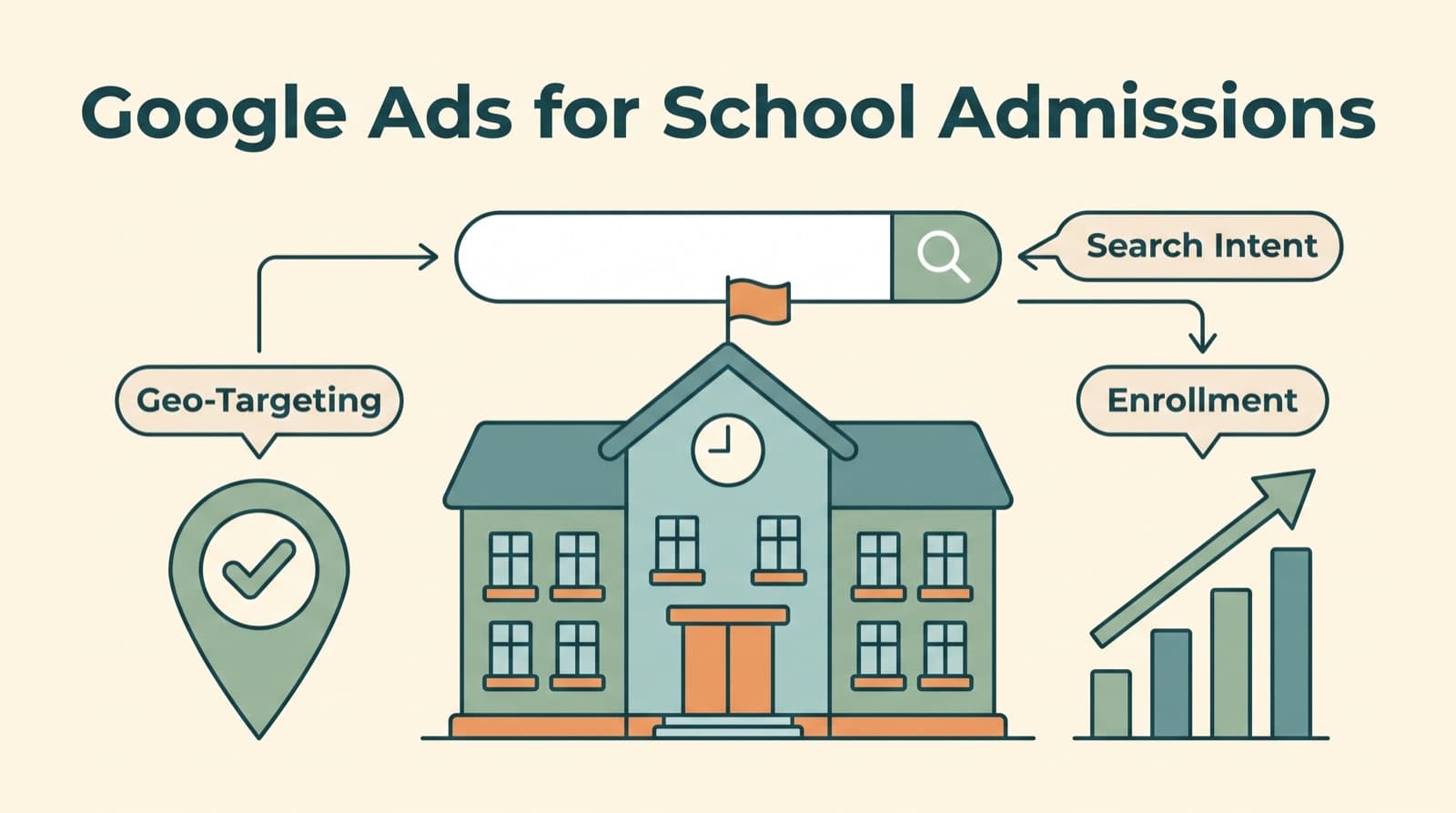
Search flips that. When a parent types "international school in Whitefield" or "CBSE school admission [city] 2026," they are telling you exactly what they want, exactly when they want it. You are not guessing at intent, you are reading it off the screen. That is why search consistently produces the cheapest, highest-quality enquiries in an admissions account. The parent has already done the hard part, which is deciding they need a school. Your only job is to be there and be convincing.
This intent also changes how you should think about the whole channel. With a hoarding, you pay for reach and hope for relevance. With search, relevance is the entry ticket and you pay for the click only when someone self-selects as interested. A small school with a modest budget can beat a much larger one simply by showing up for the right searches in the right neighbourhoods, because the auction does not care how big your campus is. It cares whether your ad answers the parent's question better than the next school's.
The catch is that intent is fragile. Parents search in plain, specific language ("affordable CBSE school near [locality]," "school with daycare and transport"), and they bounce the instant your ad or page fails to match what they asked for. Capturing intent well is a discipline of precision: the right keyword, the right message, the right page, the right area. Get those four aligned and Google Ads becomes the most efficient admissions channel you have. Get them misaligned and you are paying premium prices to disappoint motivated parents. Everything below is about getting them aligned. If you want the wider picture of how paid search fits alongside SEO, social, and content, our overview of education marketing in India puts this channel in context.
How to Structure the Account
The single biggest difference between a school account that works and one that wastes money is structure. Most schools dump every keyword into one campaign, point it at the homepage, and let it run. Then they cannot tell why it is failing, because brand searches, competitor searches, and broad category searches are all tangled together, competing for the same budget and reported as one undifferentiated number.
The fix is to separate campaigns by intent, because each type of search wants a different budget, a different message, and a different bid. For an admissions account, four campaign types do almost all the work.
- Brand. Parents searching your school's name, and variants like "[school name] admission" or "[school name] fees." These are the warmest searches you have, the cheapest clicks, and the highest conversion rate, because the parent already knows you. Always run a brand campaign. It is inexpensive insurance against a competitor bidding on your name and stealing parents who were looking for you specifically.
- Category, or non-brand. The high-value, high-competition searches where a parent describes the school they want but does not yet know yours. "Best CBSE school in [city]," "ICSE school near [locality]," "top international school in [area]." This is where new admissions come from, and where most of the budget and the sharpest targeting should go. These clicks cost more and convert at a lower rate than brand, which is exactly why they need their own campaign with their own budget rather than being starved by cheaper brand clicks.
- Competitor. Searches for other schools' names. Used carefully, this puts you in front of parents actively comparing schools, who are high intent by definition. Keep it in its own campaign with a controlled budget, never use the rival's name in your ad text, and watch the cost per enquiry closely. We cover the trade-offs in the FAQ, but the short version is: a useful tactic, never a default.
- Locality and near-me. Searches tied to the specific areas you draw students from. "School near [neighbourhood]," "play school in [pin code area]," "CBSE school [locality]." These often convert beautifully because location is a deciding factor for a day school, and a parent searching by their own neighbourhood is telling you they want something close.
Within each campaign, build tight ad groups around closely related keywords so the ad and landing page can match the search precisely. An ad group for "CBSE school" should not also contain "ICSE school," because a parent searching for one board does not want a school that offers the other. The tighter the group, the more relevant the ad, the higher your quality score, and the lower your cost per click. Structure is not bureaucracy. It is the thing that lets every other decision in the account be made cleanly. If setting this up from scratch feels like more than your team can take on, this is the kind of build our Google Ads work handles end to end.
Keyword Themes and Match Types
Keywords are where a school account quietly bleeds money or quietly prints admissions, and the difference is almost always discipline rather than cleverness.
Start by building your list around the four themes above: brand, category, competitor, and locality. Within category and locality, think the way a parent thinks, not the way your prospectus reads. Parents do not search "holistic value-based pedagogy." They search "good CBSE school near me," "school with bus from [area]," "best kindergarten in [locality]," "affordable international school [city]." Pull these from your own enquiry conversations, from Google's autocomplete, from the People Also Ask box, and from the search terms report once you are live. The language parents use is plainer and more specific than anything a marketing team would write, and matching it is half the battle.
Then control how loosely Google matches those keywords, because match type decides how much of your budget goes to searches you actually want.
- Exact match shows your ad only for the keyword and very close variants. It is the most precise and predictable, and it should carry the core of a school account, especially for expensive category and competitor terms where a wrong click costs real money.
- Phrase match widens reach to searches that contain your keyword in order, which captures natural variations a parent might add ("best CBSE school in [city] with transport") while keeping the core intent intact. A sensible default for category and locality terms once you have data.
- Broad match reaches the widest pool and, for most schools, the most waste. It will happily spend your budget on loosely related searches. Use it sparingly, only with a strong negative list and automated bidding to keep it honest, and never as your starting point.
The other half of keyword discipline is negatives, the searches you tell Google to never show you for. Schools attract a specific kind of irrelevant traffic, and you want to block it from day one. Add negatives for "jobs," "vacancy," "recruitment," and "teacher salary" to keep out job seekers. Add "free," "government," and "scholarship only" if those searchers will not pay your fees. Add the boards you do not offer, so a CBSE school stops paying for "IB school" clicks. Then make reviewing the search terms report a weekly habit during the admission cycle, because new junk searches appear constantly and each negative you add makes the account a little more profitable. This is unglamorous maintenance, and it is exactly the work that separates an account that improves over time from one that drifts.
Targeting Your Catchment Area
For a day school, geography is not a setting you tweak. It is close to the entire strategy. A parent who loves everything about your school but lives fifty minutes away through morning traffic is almost never a real admission, because the school run will wear them down by August. Targeting your actual catchment, and only your catchment, is what stops you paying premium prices for enquiries that were never going to convert.
There are two ways to define the catchment in Google Ads, and the right answer is usually both.
- Radius targeting draws a circle around your campus, say the realistic commute distance for your school, and shows ads only to parents inside it. This is the simplest and often the most effective approach for a single-campus day school, because it maps directly to the school run that actually has to happen every morning.
- Locality, pin code, and area targeting lets you name the specific neighbourhoods, postal areas, or localities your students come from, rather than a whole city. If your enquiries cluster in five or six areas, target those and exclude the rest. You will spend less and convert more, because you are only paying to reach parents for whom your school is genuinely convenient.
One setting matters more than any other here, and most schools get it wrong. In Google Ads location options, choose to target people who are in or regularly in your locations, not people who are merely showing interest in them. The default interest-based setting will happily show your ad to a parent in another city, or another country, who searched your city's name while researching, and that parent will click, cost you money, and never enrol. Set it to presence, and you stop funding curiosity from outside your catchment.
Once the boundaries are right, use bid adjustments to lean into the areas that actually convert. If two localities historically produce most of your admissions, bid up in those and down in the marginal ones. Over a cycle, this concentrates spend where seats actually come from. Catchment targeting is the least glamorous part of a school account and one of the highest-leverage, because it quietly removes the enquiries that were always going to waste your admissions team's time.
Ad Copy That Speaks to Parents
A parent comparing schools is not reading your ad for poetry. They are scanning four or five results in a few seconds, looking for the one that matches what they typed and answers the questions every parent has. Good admissions ad copy is not clever. It is relevant, specific, and reassuring, in that order.
Start by mirroring the search. If the parent typed "CBSE school in [locality]," the ad should say "CBSE School in [locality]," because matching their words signals that you are exactly what they asked for and lifts both your click-through rate and your quality score. Generic copy that could belong to any school in the country ("Nurturing Tomorrow's Leaders") does the opposite. It blends in precisely when you need to stand out.
Then lead with the things that actually decide a school enquiry. For most parents that means board and curriculum, location and commute, and a concrete proof point. The specifics that matter to your audience might include:
- Board and stage, stated plainly. "CBSE, Nursery to Grade 12." A parent searching for one board does not want to guess whether you offer it.
- Location and convenience. The locality, and practical reassurances like transport coverage or proximity, because for a day school these are not details, they are the decision.
- A real proof point. Board results, established year, campus size, accreditations, faculty credentials. Something concrete that a brochure adjective cannot fake. "Ranked among [city]'s top schools" beats "excellence in education" every time, because one is checkable and the other is noise.
- A clear next step. Tell the parent exactly what to do: "Book a Campus Visit," "Enquire for [year] Admissions," "Check Eligibility and Fees." Vague ads get vague responses.
Use every asset Google gives you. Sitelinks to the pages parents actually want (admissions process, fee structure, transport, campus tour), callouts for quick reassurances (safe campus, qualified faculty, transport available), and a call extension if your admissions desk answers the phone, because many parents would rather call than fill a form. Run at least two or three ad variations per ad group and let the data, not the principal's opinion, decide which wins. The job of the ad is narrow and important: earn the click from a parent who is a genuine fit, and set an honest expectation for the page they are about to land on. If the ad oversells and the page underdelivers, you have paid for a click and bought a disappointment.
The Landing Page and Enquiry Form
This is where most school budgets quietly die. The ad does its job, the parent clicks, and they land on the school homepage, a busy, well-meaning page built to serve current parents, prospective parents, staff, the board, alumni, and the annual day photo gallery all at once. The parent who came to enquire is now staring at twelve menu items and a scrolling banner, none of which answer the one question they had. Most of them leave. You paid for that click and got nothing for it.
A dedicated admissions landing page fixes this by doing exactly one job: converting a parent who is considering your school into an enquiry. Everything on it serves that single goal, and everything that does not is removed.
A page that converts admissions enquiries usually has the same bones:
- A headline that matches the ad and the search. If the ad promised "CBSE Admissions in [locality] for [year]," the page headline says the same thing. Continuity reassures the parent they are in the right place, which is the first thing they are unconsciously checking.
- The few facts that decide an enquiry, fast. Board and grades offered, location and transport, fee range or a clear path to it, the admission process in a line or two, and genuine proof, results, accreditations, a number that means something. Answer the obvious questions before the parent has to hunt for them.
- An enquiry form that is short and obvious. Name, phone, child's grade, locality. Resist the urge to ask for everything up front. Every extra field costs you completions, and you can gather the rest when your admissions team calls. The form should be visible without scrolling and repeated again lower down.
- Trust signals a parent actually cares about. Photos of the real campus and real children, not stock images. A line about safety and transport. A testimonial from a current parent. The things that quiet the anxieties specific to handing over your child for the day.
- One primary action, stripped of distractions. No full site navigation pulling attention away, no competing calls to action. The page leads to the form, and to a phone number for parents who would rather call.
Mobile matters more here than almost anywhere, because parents research schools on their phones, late, between everything else. If the form is fiddly on a phone, you lose the enquiry. Speed matters too: a slow page loses parents before it loads. Building pages that actually convert paid traffic is its own discipline, and it is precisely what our landing pages work exists to handle, because the best ad in the world cannot rescue a page that scatters a motivated parent's attention.
Conversion Tracking and Offline Admissions
Here is the step that separates schools who think Google Ads does not work from schools who fill seats with it. Almost everyone tracks the form fill and stops there. Google learns to get you more form fills, so it does, including all the cheap, low-quality ones from parents who will never enrol. You end up with a full lead sheet, a busy admissions team, and barely any admissions, and you blame the channel. The channel was doing exactly what you told it to.
The problem is that a form fill is not an admission. It is the very start of a long process: enquiry, counselling call, campus visit, application, and finally a confirmed seat. Each stage filters out parents, and the parents who make it all the way are worth vastly more than the ones who fill a form at midnight and never answer the phone. If Google only ever sees the form fill, it cannot tell the difference, and it will optimise toward volume rather than quality.
The fix has two parts, and together they are the highest-leverage thing in this entire guide.
- Track the full funnel, not just the form. Set up conversion tracking for the form submission, yes, but also for the downstream actions you can capture, the call, the brochure download, the campus visit booking. Give Google more signal than a single midnight form fill.
- Import offline conversions for the outcomes that matter. This is the part schools skip and the part that changes everything. When a parent enquires through an ad, capture the Google click identifier, the GCLID, alongside their details in your admissions system or CRM. Then as that enquiry moves through your process, to visit, to application, to confirmed admission, export those outcomes and import them back into Google Ads as offline conversions. Now Google knows not just which clicks became form fills, but which clicks became actual students.
Once that loop is closed, the account transforms. Google's bidding can optimise toward the keywords, areas, and times of day that produce admissions, not just enquiries, and it will quietly shift your budget toward the parents who enrol and away from the ones who never pick up the phone. The "form fills but no admissions" complaint disappears, because you have finally taught the system what an admission looks like. This connection between ad spend and real enrolment is the entire point of proper measurement, and getting it set up correctly is usually the difference between a school account that breaks even and one that becomes the most reliable admissions channel the school has.
Budget and Bidding
There is no universal right budget for a school, because it depends on your fees, your open seats, and how crowded your city's auction is. But there is a right way to arrive at the number, and it starts from the value of a seat, not from a figure that feels comfortable.
Work backwards. A single admission is worth not one year of fees but several, because a child who joins in nursery may stay for a decade. That lifetime value is what you are actually buying. Decide what a confirmed admission is worth to you, accept that you can spend a sensible fraction of that to win one, then estimate two things: roughly what an enquiry costs in your area, and how many enquiries it takes to fill a seat. Multiply through and you have a budget anchored to outcomes. A school that knows a seat is worth lakhs over its life, and that it takes, say, a handful of enquiries to land one admission, can spend confidently on each enquiry. A school staring at a flat monthly number with no link to seats is guessing, and usually under-spending on exactly the category terms that bring new families.
On bidding, the honest guidance is to start manual and graduate to automated.
- Early on, you have no conversion data, and automated bidding has nothing to learn from. Manual or enhanced CPC bidding lets you control costs while you gather data, keep a lid on expensive category and competitor clicks, and learn what an enquiry actually costs you.
- Once you have meaningful conversion data, especially the offline admission conversions from the previous section, hand the bidding to a goal-based automated strategy like Maximise Conversions or a target cost per acquisition. Now Google's machine learning is optimising toward real outcomes, using signals about each searcher you could never act on manually.
The order matters. Automated bidding is powerful precisely because it optimises toward whatever you tell it to value, which is exactly why you should not switch it on until your tracking knows the difference between a form fill and a filled seat. Feed it good conversion data and it becomes a quiet, tireless optimiser. Feed it form fills alone and it will efficiently buy you the wrong thing. Across both, watch cost per enquiry and, once you can, cost per admission, and let those numbers, not gut feel, decide where the next rupee goes.
Planning Around the Admission Cycle
A school's demand is not flat across the year, and an account that spends evenly month after month is fighting its own market. Admissions move in waves, and your budget should move with them. The exact calendar depends on your board, your city, and whether you run on the standard April session or something else, but the shape is the same everywhere, and planning around it is what separates a school that owns its peak season from one that shows up late.
Think of the year in three phases.
- The consideration phase, before applications open. Parents research schools for months before they enquire. They are reading, comparing, asking other parents, long before they fill a form. If you only switch ads on when applications open, you have already lost the parents who quietly made up their minds in the months before. Be present during consideration, at least on brand and high-intent category terms, so you are in the shortlist when the deciding starts.
- The peak window, when applications are open. This is when you spend the most, bid the hardest, and accept a higher cost per enquiry, because this is when seats are actually won. Ramp the budget, widen the keywords, push the competitor and category campaigns. The schools that capture the most admissions are aggressive precisely when demand peaks, not timid because clicks got more expensive.
- The off season, after the window closes. The instinct is to switch everything off. Resist it. Keep a lighter, always-on presence, brand terms and your strongest category keywords, to catch the parents who relocate mid-year, decide late, or look for an immediate transfer. It also keeps your account, and Google's learning, warm for the next cycle instead of cold-starting every year. A small always-on spend protects the momentum the peak season built.
The practical move is to build a simple admissions calendar mapped to your actual cycle, with planned budget levels for each phase, and to brief whoever manages the account well before each shift rather than reacting once the window is already open. Seasonality is not a complication to manage around. It is the rhythm the whole account should be built on, because the months parents are deciding are the months your spend has to be loudest.
Your First 30 Days
A guide is only useful if you can act on it. Here is the order to actually stand a school admissions account up in the first month, without trying to do everything at once.
Week 1: Foundations and tracking. Before a single ad goes live, get the measurement right, because launching without it means flying blind. Set up conversion tracking for your enquiry form and your call. Make sure your admissions system or CRM can capture the GCLID against each enquiry, so the offline conversion loop is possible later. Define your catchment, the radius or the specific localities, and write down what a seat is worth and what you can spend to win one. This week is unglamorous and decides everything that follows.
Week 2: Structure and a dedicated page. Build the four campaigns, brand, category, competitor, locality, with tight ad groups inside each. Write the core keyword list around how parents actually search, and load a serious negative keyword list from the start. In parallel, stand up a dedicated admissions landing page that matches your category ads and carries a short, obvious enquiry form. Do not point ads at the homepage. If the page is not ready, the ads can wait a few days. It is worth it.
Week 3: Launch lean and watch. Go live, but start contained: lead with brand and your strongest category and locality terms on exact and phrase match, manual or enhanced bidding, a budget you are comfortable gathering data on. Then watch the search terms report closely and add negatives daily. The first weeks are paid research. You are learning which searches, areas, and ads produce real enquiries, and trimming the waste.
Week 4: Read the data and tighten. With a couple of weeks of clicks in, look at what is actually converting: which keywords, which localities, which ad variations. Pause the dead weight, shift budget toward what works, and bid up in the areas that convert. Begin feeding admission outcomes back as offline conversions as enquiries mature through your process. By the end of the month you should have a structured, tracked, catchment-targeted account that is starting to tell you, in real numbers, what an admission costs you, which is the foundation everything else scales on.
The Bottom Line
Google Ads is the most direct line a school has to parents at the exact moment they are choosing where to send their child. The intent is already there. The advantage goes to the school that captures it cleanly instead of paying premium prices to disappoint motivated parents.
The schools that fill seats with Google Ads do the same unglamorous things well:
- Build the account around intent, with separate brand, category, competitor, and locality campaigns rather than one tangled mess.
- Control keywords and match types, leading with exact and phrase and running a serious negative list so the budget goes to searches that convert.
- Target the catchment, not the city, because for a day school the commute is the deciding factor.
- Write for the parent, match the search, lead with board and location and proof, and send the click to a dedicated enquiry page, never the homepage.
- Track admissions, not form fills, by importing offline conversions so Google bids toward the clicks that become enrolled students.
- Budget around the admission cycle, loud while parents are deciding, lighter but never silent the rest of the year.
Do these consistently and Google Ads stops being a line item you are unsure about and becomes the most measurable, controllable admissions channel the school has. It does not run itself, and that is the point. The schools that win are the ones that treat it as a system to be tuned, not a switch to be flipped. Paired with Meta Ads for School Admissions to create demand alongside the demand search already captures, it becomes a complete engine for filling seats.
Aurelius Media runs admissions-focused education marketing for schools that want filled seats, not vanity metrics: Google Ads structured around your catchment and cycle, landing pages that convert enquiries, and conversion tracking tied back to real admissions so you know exactly what each seat costs. You run the school. We make sure the right parents find it and enquire. If you want us to audit where your admissions spend is leaking, book a free strategy call.
Frequently Asked Questions
How much should a school budget for Google Ads?
There is no single number, because it depends on your fees, your seats, and how competitive your city is. The honest way to set a budget is to work backwards from a seat. Decide what one admission is worth to you over the years a student stays enrolled, then accept that you can spend a sensible fraction of that to acquire one. From there, estimate the cost per enquiry in your area and how many enquiries it takes to fill a seat, and you have a budget that maps to outcomes instead of a number you picked because it felt safe. Start with enough to gather real data on your priority keywords during the admission window, then scale what proves it converts.
When should a school start running admissions ads?
Earlier than most schools think. Parents research schools for months before they enquire, so you want to be visible during the consideration phase, not just when applications open. Practically, that means turning on brand and high-intent search a full quarter before your admission window, ramping spend as the window opens, and keeping a lighter always-on presence in the off season to catch the parents who relocate or decide late. The exact calendar depends on your board and your city, but the principle holds everywhere: align spend to the months parents are actually deciding, and do not switch the whole account off the day forms close.
What keywords should a school bid on?
Think in four buckets. Brand terms, your own school name and variants, which are cheap and convert best. Category terms like best CBSE school in your city or international school near a locality, where high-intent parents who do not yet know you are searching. Competitor terms, other school names, used carefully. And locality or near-me terms tied to the areas you actually draw students from. Lead with exact and phrase match so you control which searches you show for, keep broad match on a tight leash, and build a strong negative keyword list from day one to filter out job seekers, fee-only searches, and parents looking for a different board.
Why are we getting form fills but no admissions?
Almost always because the account is optimizing for the wrong thing. If Google only knows about form submissions, it will get you more form submissions, including the cheap, low-quality ones from people who will never enroll. The fix is to feed real outcomes back into Google. Tag each enquiry, track it through your admissions process, and import the offline conversions, the school visit, the application, the confirmed admission, back into Google Ads. Once the system learns which clicks become actual students, it bids toward those, and the gap between form fills and filled seats starts to close.
Do we need a separate landing page, or can we send ads to our website?
A dedicated landing page almost always wins. Your homepage is built to serve everyone, current parents, staff, the board, alumni, so it scatters a paying visitor's attention across a dozen links. An admissions landing page does one job: it speaks to a parent considering your school, answers the few questions that decide an enquiry, and makes the enquiry form impossible to miss. The closer the page matches the promise in the ad, the higher it converts. Sending paid clicks to a busy homepage is the single most common reason a school's ads underperform.
How do we target only parents in our catchment area?
Use radius targeting around your campus, or layer specific localities, pin codes, or postal areas where your students actually come from, rather than a whole city. In Google Ads, set location targeting to people in or regularly in your targeted areas, not merely those showing interest in them, so a parent researching your city from another country does not eat your budget. Then add bid adjustments to lean harder into the neighbourhoods that historically convert. For a day school, the radius is everything, because a parent forty minutes away on a school morning is rarely a real prospect no matter how good the ad is.
Should we bid on competitor school names?
It can work, but treat it as a careful tactic, not a default. Parents comparing you to a named rival are high intent, and showing up when they search a competitor can win you a serious look. The trade-offs are higher cost per click, lower conversion rates than your own brand terms, and the fact that the competitor may return the favour. Never use the competitor's name in your ad text, which invites trademark issues, keep these in their own campaign with a controlled budget, and watch the cost per enquiry closely. If it is acquiring admissions at a sane cost, keep it. If it is just burning budget, pause it without sentiment.
Is Google Ads or Meta Ads better for school admissions?
They do different jobs, and most schools that fill seats reliably run both. Google captures parents who are already searching, high intent, ready to enquire, lower volume. Meta creates demand among parents who are not yet searching but fit your profile, using targeting and creative to put your school in front of them. Google tends to deliver the cheaper, more immediate enquiries, while Meta builds awareness and feeds the top of your funnel. If you must start with one, start with Google during your admission window because the intent is already there, then layer in Meta to widen the pool. The strongest admissions engines use search to harvest demand and social to create it.