
You wrote a good book. Maybe a very good one. It is live on Amazon, the cover looks sharp, the description reads well, and the first few sales came from friends, family, and your email list. Then the line went flat. Weeks pass and the sales rank drifts down, not because the book is bad, but because almost nobody new is finding it.
This is the quiet problem with publishing on Amazon. The store holds millions of titles, and readers only ever see a thin slice of them: the books that rank, the books that get recommended, and the books that pay to appear. Your book can be excellent and still be invisible, sitting on page nine of a search nobody scrolls to.
Amazon ads are the most direct way to fix that, because they put your book in front of people at the exact moment they are looking to buy one. Not browsing, not scrolling for entertainment, but actively searching for their next read with a credit card already on file. That is rare and valuable attention, and it is why advertising on Amazon tends to convert better for books than almost anywhere else.
The catch is that most guides to Amazon ads are written for people who already run them. They throw bidding formulas, campaign architectures, and acronyms at a first-timer who just wants to know where to click and how not to lose money. This guide does the opposite. It walks you from zero, in plain language, through exactly what these ads are, how to set up your first campaign, and how to read the numbers so you can tell what is working. By the end you will have a real, defensible starting strategy, not a pile of jargon.
In a Nutshell
- Amazon ads reach buyers, not browsers. Readers on Amazon are already in a shopping mindset, which is why book ads there convert better than ads on social feeds.
- Start with Sponsored Products and nothing else. It is the simplest ad type, it shows up in search results and on book pages, and it is where almost all of your early budget should go.
- Begin with automatic targeting. Let Amazon match your book to searches and similar titles for a couple of weeks, then mine the data for the terms that actually convert.
- Keywords and match types are how you aim. A focused list of relevant keywords, run mostly on phrase and exact match, beats a giant list of loose ones every time.
- ACOS tells you if it is working. It is simply your ad spend divided by the sales those ads produced. What counts as good depends entirely on your goal.
- Negative keywords are where the savings live. Cutting searches that spend money without selling books is the cheapest, fastest way to make a campaign profitable.
- This is a marathon. The first month is paid research. Real, reliable results usually take three to six months of steady, small adjustments.
Table of Contents
- Why Amazon Ads Matter for Authors
- The Ad Types, and Why You Start With One
- Before You Spend a Dollar
- Setting Up Your First Campaign
- Automatic vs Manual Targeting
- Keywords and Product Targeting
- Match Types, Explained Simply
- Bids, Budgets, and ACOS
- Negative Keywords: Your Money-Saver
- Reading the Data Without Drowning In It
- How to Optimize Over Time
- The Bottom Line
- Frequently Asked Questions
Why Amazon Ads Matter for Authors
To understand why these ads work, you have to understand who is on the other side of them.
When someone scrolls Instagram or watches a video, they are looking for entertainment. An ad interrupts that. You have to stop them, convince them they have a problem, and only then sell the solution. It can work, but you are fighting the user's intent the entire way. Amazon is the opposite. People go there to buy. They type a genre, an author, or a topic into the search bar because they want to spend money on a book, and they are comparing options with their wallet already open. Your ad does not interrupt that intent. It answers it.
That single difference is why Amazon is such fertile ground for book advertising. The store began life as a bookseller, and books are still one of the most natural things to discover and buy there. Sponsored Products ads, the kind you will use, blend into the search results and the recommendation strips on book pages. The only thing marking them as ads is a small "sponsored" label. To a browsing reader, your advertised book looks like just another relevant result, which is exactly why these ads get clicked.
There is a second reason ads matter, and it is structural. Amazon's organic visibility is a feedback loop: books that sell get ranked higher, which makes them sell more. A new book has no sales history, so it starts at the bottom of that loop with no way to climb. Ads are how you break in. By paying to put your book in front of buyers, you generate the early sales and reviews that feed the organic engine. Done well, advertising does not just produce ad sales, it lifts your whole presence on the platform.
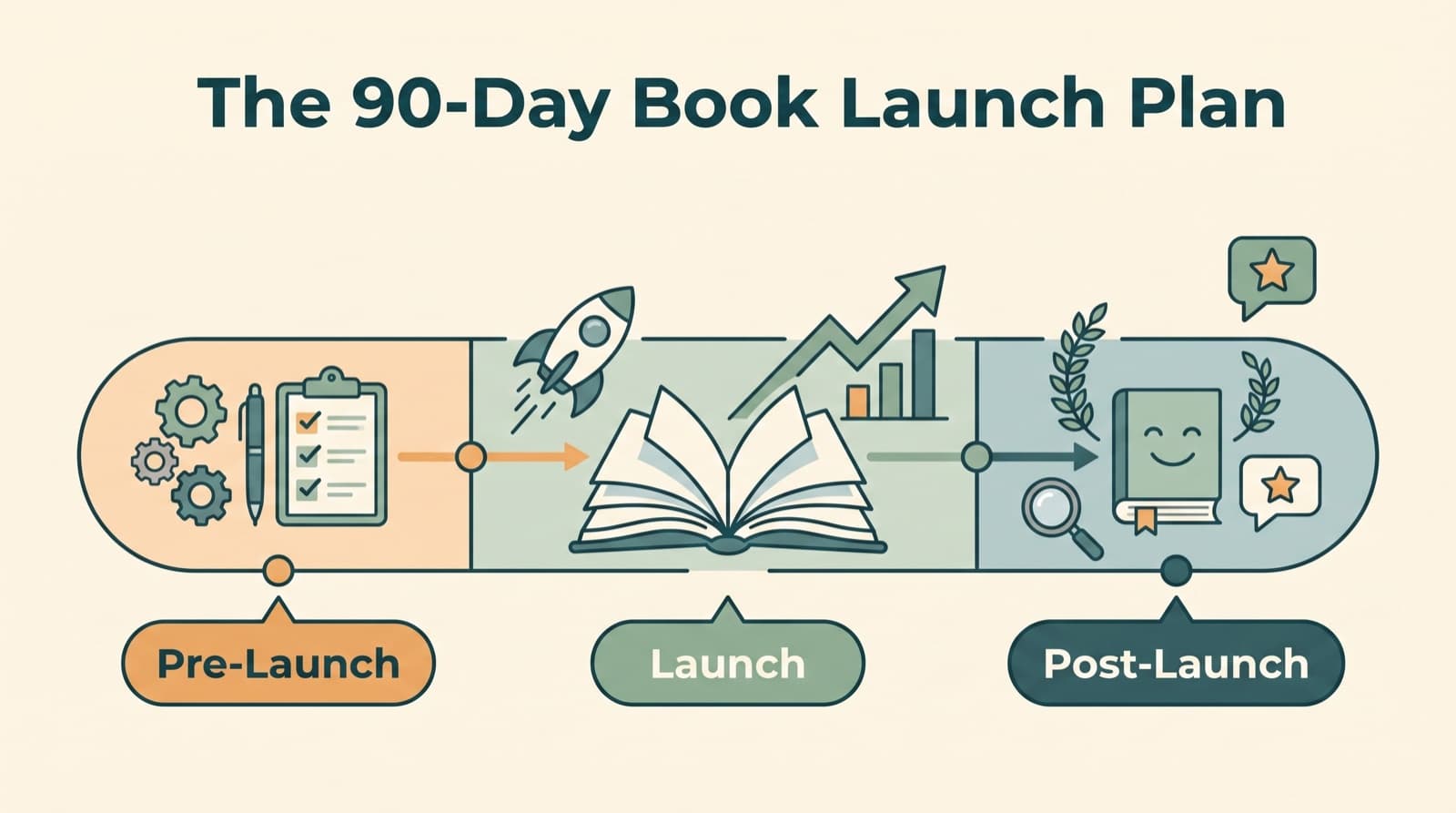
None of this means ads are magic. They send relevant readers to your book page, but the page has to do the closing. If your cover is weak, your description is thin, or your reviews are sparse, you will pay for clicks that never become sales. We will come back to that, because it is the most common reason a perfectly good campaign loses money. For the bigger picture of where ads fit alongside everything else, our 90-Day Book Launch Marketing Plan is a useful companion to this guide.
The Ad Types, and Why You Start With One
Amazon offers a few different advertising formats, and a lot of beginner confusion comes from trying to learn all of them at once. You do not need to. As a starting author you will use one, and you can happily ignore the rest until you have run it for a while.
Here is the short version of what exists:
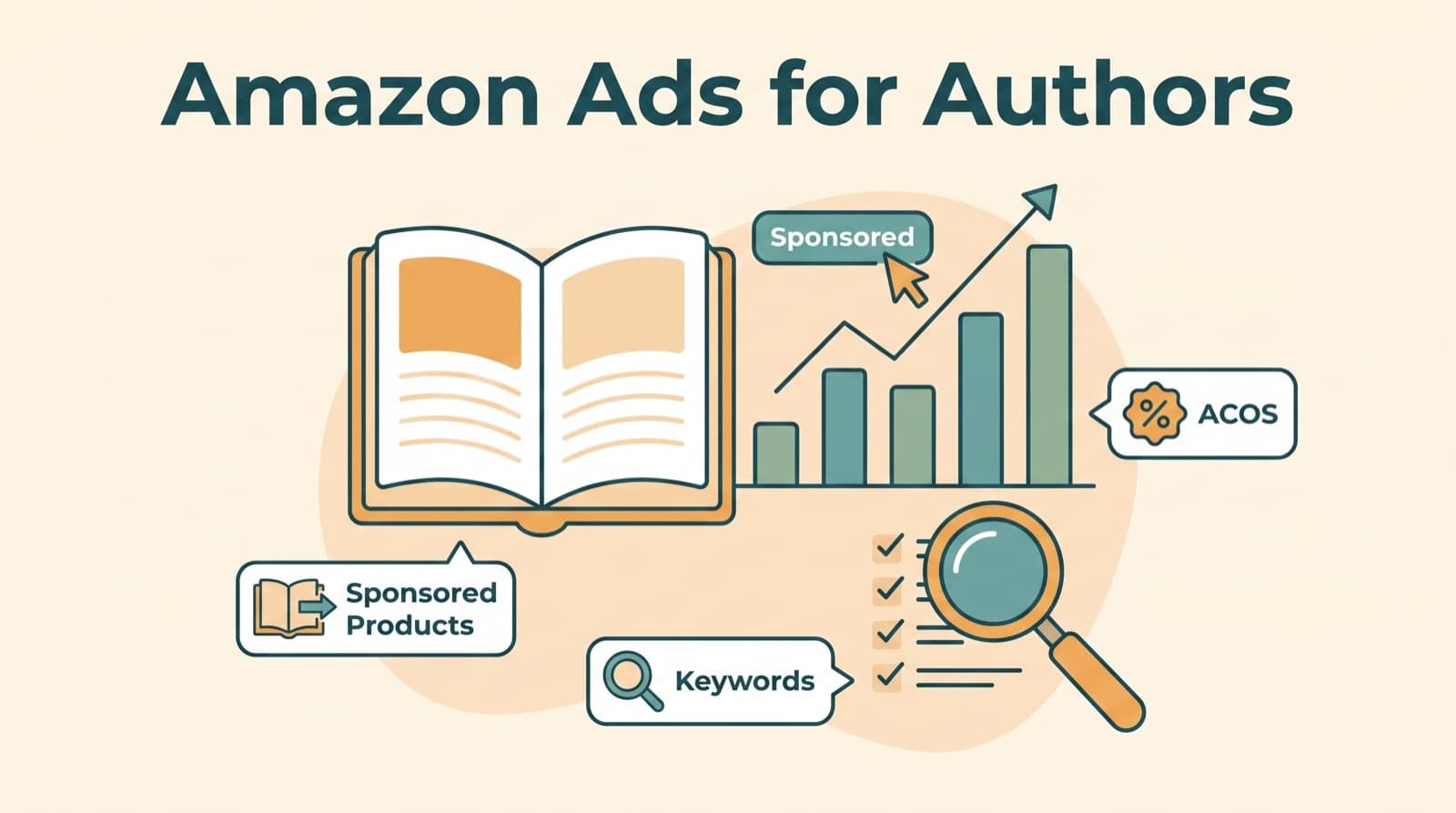
- Sponsored Products promote a single book. The ad shows up inside search results and on other books' detail pages, and it looks almost identical to an organic listing. This is the workhorse, the easiest to set up and the most effective for selling books. It is where the rest of this guide lives.
- Sponsored Brands promote a small collection of books with a custom headline and a banner, usually across the top of search results. These are more useful once you have several titles or a series to cross-promote, so they are a "later" tool, not a starter one.
- Sponsored Display reaches readers across and beyond Amazon based on their browsing behavior. It is the most advanced of the three and the least necessary when you are starting out.
The reason to begin with Sponsored Products alone is simple: it gives you the best return for the least complexity, and it teaches you the fundamentals (keywords, bids, ACOS, negatives) that every other format also relies on. Master Sponsored Products and you have not just run one ad type, you have learned the system. In our experience running book marketing for authors, the overwhelming majority of advertising results come from Sponsored Products, which is why we tell first-timers to put nearly all of their early budget and attention there.
So for the rest of this guide, when we say "your campaign," we mean a Sponsored Products campaign. One book, one ad type, one thing to learn at a time.
Before You Spend a Dollar
Advertising amplifies whatever is already there. If your book page converts, ads pour fuel on it. If your page does not convert, ads pour fuel into a hole. So before you create a single campaign, spend twenty minutes making sure the thing your ads point at is worth pointing at.
Three things matter most:
- Your cover. On Amazon, the cover is your ad creative. It is the image readers see in the search results and the recommendation strips, and it is the single biggest factor in whether anyone clicks. A cover that looks amateur, or that does not instantly signal the genre, will get scrolled past no matter how good the writing is. If your cover is weak, fix it before you advertise. It is the highest-leverage change you can make.
- Your description and A+ content. When a reader clicks your ad, they land on your book's detail page, and that page has to close the sale. A flat, generic description leaks buyers. A sharp one that opens with a hook, signals the genre, and builds desire converts them. If you have access to A+ content (the enhanced visuals and formatted text on the page), use it to show off the book and add credibility.
- Reviews and social proof. Readers trust other readers. A book with a handful of thoughtful reviews converts far better than one with none, and Amazon ads will expose this gap mercilessly. You do not need hundreds of reviews to start, but if you have zero, prioritize getting some honest early ones, because every ad click is landing on a page that currently gives buyers nothing to trust.
You also need the practical prerequisites in place: your book has to be live and available in the country where you want to advertise, and it needs to be claimed in Amazon's Author Central so the advertising console can find it. Both are quick. The point of this section is not the admin, it is the mindset: ads are the last piece you turn on, not the first. Get the page right, then advertise. If you want a sense of what a complete promotional effort costs across all of this, we break it down in how much book marketing costs.
Setting Up Your First Campaign
With the foundations in place, the setup itself is genuinely simple. Here is the path from nothing to a live campaign.
First, register to advertise. Go to the Amazon advertising console, select the country you want to advertise in, and choose the author option during registration. You will need a separate account for each Amazon store you want to run ads in, so if you plan to advertise in both the US and UK stores, that is two accounts. Add your billing details and you are in.
Once you are inside the console, the flow looks like this:
- Create a campaign and choose Sponsored Products. Click the create-campaign button and select Sponsored Products as the type. Ignore the other options for now.
- Name it so you will understand it later. A clear naming convention saves you headaches once you have several campaigns. Something like "Book Title | Auto" or "Book Title | Phrase" tells you at a glance what each campaign is doing. Future you will be grateful.
- Select the book to advertise. Search by title or by its ASIN (the unique product code on every Amazon listing) and add it. If your book exists in multiple formats, like ebook and paperback, add the relevant ones.
- Set your dates and budget. Leave the start date as today and the end date blank so the campaign runs continuously. For the daily budget, start modest. A few dollars to ten dollars a day is plenty to gather data on one book, and you can raise it later. Note that the budget is a daily average over the month, so the occasional busy day that spends a little over is normal and evens out.
- Choose your targeting type. This is the one real decision in the setup, and it is the subject of the next section. For your very first campaign, choose automatic targeting.
- Pick a bidding strategy and launch. Start with the most conservative bidding option, which we cover below, then launch.
That is it. Your campaign is live. It will take a little while before meaningful data appears, so resist the urge to check it hourly or change things on day two. Let it breathe and accumulate clicks, then come back to read what it is telling you.
Automatic vs Manual Targeting
The single most important concept for a beginner is the difference between automatic and manual targeting, because it determines how your ads find readers and how much work you do.
Automatic targeting hands the matching over to Amazon. Based on what it knows about your book (its category, its description, the books it resembles) Amazon decides which searches and which product pages to show your ad on. You set a budget and a bid, and the system does the rest. The beauty of this is that it requires almost no setup and it surfaces matches you would never have thought of. Amazon has data you do not. It knows which books readers cross-shop and which phrases lead to sales, and automatic targeting puts that knowledge to work immediately.
Manual targeting flips control back to you. You choose the exact keywords and the exact competing books you want to appear for, you set individual bids, and you decide what to add or cut. This takes more effort and more research, but it gives you precision. Once you know what works, manual is how you double down on it and stop paying for everything else.
Here is the part most guides bury: these are not rivals, they are a sequence.
| Automatic targeting | Manual targeting | |
|---|---|---|
| Setup effort | Minimal, Amazon does the matching | Higher, you pick every keyword and product |
| Best for | Discovering what converts | Scaling what already converts |
| Control | Low, the system decides | High, you decide everything |
| When to use it | Your first campaign, weeks one to three | After you have search term data to act on |
| The risk | Can spend on loosely related matches | Can miss terms you never thought of |
The smart starter strategy is to run an automatic campaign first, purely as a discovery tool. Let it run for two to three weeks, then open the search term report (more on that shortly). It will show you the exact phrases readers typed and the exact books your ad appeared next to, along with which of those produced sales. Those proven winners become the seed list for a manual campaign, where you bid on them deliberately and control the spend. Automatic finds the signal in the noise; manual lets you turn up the signal and mute the noise. Run automatic to learn, then build manual to scale.
Keywords and Product Targeting
When you move to manual targeting, you are choosing between two ways to aim your ads, and the best campaigns use both.
Keyword targeting means your ad appears when a reader searches a specific word or phrase. If you write cozy mysteries, you might target "cozy mystery," "cozy mystery series," "small town mystery," and so on. The reader types it, and your book is in the running to appear.
There is a temptation, especially early on, to load up a campaign with hundreds of keywords on the theory that more shots mean more hits. Resist it. Amazon's system rewards relevance, and a sprawling keyword list dilutes it. You are far better off with a tight list of genuinely relevant terms than a giant list of loose ones. A practical starting range is ten to thirty keywords per campaign, drawn from two buckets: highly specific phrases that describe your book almost exactly, and slightly broader genre terms that still clearly fit. If your book is a British crime thriller, "British crime thriller" is your specific bucket and "crime thriller" is your broader one. Skip terms so generic that you would be competing with the entire category, because your ad will get buried and your budget will drain.
How do you find these keywords? Start with your own knowledge of your book and your genre, because no tool understands your book better than you do. Then expand. Type your seed terms into the Amazon search bar and watch what autocompletes, since those suggestions reflect real reader searches. Check that the books appearing for each term actually resemble yours, which confirms the term is relevant. For volume estimates and more ideas, free tools like Google's Keyword Planner work well, and dedicated book research tools save time once you are scaling, though they are not required to start.
Product targeting is the other half. Instead of targeting what readers search, you target the specific books and categories they are already looking at. You can place your ad on the detail pages of comparable titles, so a reader viewing a similar book sees yours in the "related products" strip. This is powerful precisely because it reaches people who have already demonstrated their taste. If your novel will appeal to fans of a well-known author in your genre, targeting that author's books puts you directly in front of their readers at the moment of highest interest. You can target individual competing titles, whole categories, or both.
The honest answer to "keywords or products?" is to use both and let the data decide. Keyword targeting tends to shine when your genre has strong, obvious search demand. Product targeting tends to shine for niche books or when you know exactly which comparable titles your ideal reader loves. Start with a sensible spread of each, watch what converts, and pour budget into the winners. What works for one book will not always work for another, so treat your first round as a hypothesis, not a conclusion.
Match Types, Explained Simply
Once you choose keyword targeting, Amazon asks you to pick a "match type" for each keyword. This just controls how loosely or tightly a reader's search has to match your keyword for your ad to show. There are three, and the difference between them is the difference between a wide net and a narrow spear.
| Match type | What it does | Example for the keyword "cozy mystery" | Best for |
|---|---|---|---|
| Broad | Shows your ad for related searches, synonyms, and variations, in any order | "cozy mystery," "mystery cozy books," "small town whodunit" | Wide discovery, when you have budget to experiment |
| Phrase | Shows your ad when the search contains your keyword phrase, in order, possibly with words around it | "best cozy mystery," "cozy mystery series for adults" | A balance of reach and relevance |
| Exact | Shows your ad only for that exact keyword and very close variants | "cozy mystery," "cozy mysteries" | Precision and predictable spend |
Think of it as a dial from wide to narrow. Broad match casts the widest net and will reach searches you never anticipated, which is useful for discovery but risky for your budget, because some of those searches will be only loosely related and will spend money without selling books. Exact match is the narrow spear: your ad shows only when someone searches almost precisely your keyword, so it is precise and predictable but reaches fewer people. Phrase match sits in between, broadening your reach while keeping the core intent intact.
For a starter manual campaign, the sensible bias is toward phrase and exact match, with broad used carefully if at all. Phrase and exact keep your spend tied to clear intent, which protects a small budget. Broad can be worth running once you have a steady habit of adding negative keywords to keep it clean, but as a first move it tends to spend fast on irrelevant clicks. You can always start narrow and widen later. It is much harder to recover money you have already burned going wide too soon.
A useful way to combine this with the previous section: run your automatic campaign to discover terms, then in your manual campaign add the proven winners as exact match to control them tightly, and add a few phrase-match terms to keep finding new variations. That gives you a controlled core and a small engine for ongoing discovery.
Bids, Budgets, and ACOS
This is the section that scares beginners, and it should not, because the core idea is just arithmetic.
Amazon ads run on a cost-per-click model, which means you only pay when someone actually clicks your ad, not when it is merely shown. The price of a click is set by an auction. Your bid is the maximum you are willing to pay for one click. Many authors might want the same keyword, and the auction weighs each advertiser's bid against how relevant their book is to the search. A higher bid helps you win placements, but relevance matters enormously: a well-matched book often wins clicks at a lower cost than a poorly matched one bidding more. This is why a tight, relevant keyword list saves money, it earns you cheaper clicks.
You have three bidding strategies to choose from:
- Dynamic bids, down only. Amazon lowers your bid in real time when a click looks less likely to lead to a sale. This is the safest option and the right place to start, because it puts a brake on spending where conversion looks unlikely.
- Dynamic bids, up and down. Amazon raises your bid (by up to 100% for top placements) when a click looks more likely to convert, and lowers it when it does not. This is a strategy to graduate to once a campaign is already working and you want to scale it.
- Fixed bids. Amazon uses your exact bid every time, with no adjustment. This gives you the most control but the least intelligence, and it is rarely the best starting choice.
Start with dynamic bids, down only. It is the safety net that keeps a beginner from overspending while you learn what your keywords are worth. When you set the bid amount itself, Amazon shows a suggested range based on what other advertisers are paying for that keyword. Use it as a rough guide rather than gospel, since the suggestions are not always accurate, and remember you can adjust bids later in small steps once you see how each keyword performs.
Now the number that ties it all together: ACOS, or Advertising Cost of Sale. It is the percentage of your ad-driven sales that went to advertising, and the formula is simple:
ACOS = (Ad Spend / Ad Sales) x 100
If you spend $50 on ads and those ads produce $200 in sales, your ACOS is 25%, meaning a quarter of that revenue went to advertising. A worked example makes the stakes clear:
| Scenario | Ad spend | Ad sales | ACOS | What it tells you |
|---|---|---|---|---|
| Efficient | $50 | $250 | 20% | Comfortable, likely profitable depending on margin |
| Borderline | $50 | $125 | 40% | Watch your royalty margin closely |
| Bleeding | $50 | $60 | 83% | You are paying almost as much as you earn |
The crucial point that trips up beginners is that there is no single "good" ACOS, because the right number depends entirely on your goal. If you are running ads purely to profit on one book, you want your ACOS comfortably below your royalty margin, so each sale nets out positive after Amazon takes its cut. But if you are launching a book, building reviews, or selling the first book in a series where later books and Kindle page reads earn the money back, you can rationally accept a high or even break-even ACOS on that first title, because the real return shows up elsewhere. Amazon also reports TACOS, total advertising cost of sale, which measures ad spend against your total sales including organic ones, and it is a useful longer-term gauge of whether advertising is lifting your whole presence. Decide your goal first. Then ACOS becomes a clear yes-or-no signal instead of an anxiety-inducing number.
One more note for KDP and Kindle Unlimited authors: your reports show KENP, the count of pages read by subscribers, and those page reads earn royalties too. A keyword can produce few outright orders but plenty of page reads, which means it is quietly profitable. Always judge a target by orders and page reads together, never orders alone, or you will cut keywords that are actually earning. If you also run ads off-platform to support a launch, the logic of efficiency and goal-setting carries over, and our breakdown of Google Ads covers how those fit alongside Amazon.
Negative Keywords: Your Money-Saver
If there is one habit that separates authors who profit from Amazon ads from those who quietly lose money, it is the disciplined use of negative keywords.
A negative keyword is simply a term you tell Amazon never to show your ad for. It is the inverse of targeting: instead of saying "show me here," you are saying "never show me here." This matters because broad and automatic targeting will inevitably match your book to searches that look related but never convert. A self-help author gets shown for "psychology textbooks," when those shoppers want academic material. A paid author gets shown for "free books," when those shoppers will never spend a cent. A clean fantasy writer gets shown for "spicy fantasy," when their book is nothing of the sort. Every one of those clicks costs money and returns nothing.
Negative keywords plug those leaks. As your campaigns run, you will find searches that spent money with zero sales, and you add them as negatives so they stop draining your budget. There are two negative match types, and the difference is important enough that getting it wrong can damage a campaign:
- Negative exact blocks only that precise search term. If you add "spicy fantasy romance novels" as a negative exact, your ad still shows for "spicy fantasy romance books," because that is technically a different search.
- Negative phrase blocks any search containing that phrase. If you add "free" as a negative phrase, your ad is blocked for "free books," "free fantasy," "free novels," and anything else with "free" in it.
Negative phrase is powerful but a blunt instrument, so use it deliberately. Adding a common word like "books" or "novels" as a negative phrase would block a huge swath of legitimate reader searches and could gut a campaign. As a rule, use negative phrase for words you are certain you never want (like "free" if you sell paid books), and negative exact for specific underperforming searches you want to cut one at a time.
The workflow is straightforward and you should make it a routine. Roughly every week or two, look at your search terms and find any that have racked up clicks (say, ten to fifteen or more) with no orders and no page reads. Those are your candidates. Add them as negatives, and over time Amazon learns more precisely who your book is for, and your campaigns get more efficient. This is the cheapest optimization in all of Amazon ads. It costs nothing but a few minutes of attention, and it directly stops money from leaking.
Reading the Data Without Drowning In It
Amazon's reporting can overwhelm a beginner, because there are several reports and dozens of columns. You do not need all of them. You need to understand a handful of metrics and one report above the rest.
Start with the metrics that actually mean something:
- Impressions: how many times your ad was shown. High impressions with no clicks usually means your cover or your relevance is not compelling enough.
- Clicks: how many times readers clicked through to your book page. This is interest.
- Click-through rate (CTR): the percentage of people who saw your ad and clicked. A very low CTR on a target often signals that the audience is a poor fit for your book.
- Cost-per-click (CPC): the average you paid per click. Relevant keywords tend to earn cheaper clicks.
- Spend: total money the campaign has used.
- Orders and sales: the books sold and the revenue from them. This is the point of the whole exercise.
- KENP page reads: for KDP and Kindle Unlimited, the pages read by subscribers, which earn royalties even without an outright sale.
- ACOS: spend divided by sales, the efficiency number from earlier.
The single most valuable report is the search term report. It shows you the actual phrases readers typed before your ad appeared, even in automatic campaigns where you never chose those phrases, along with the clicks, spend, and sales each one produced. This report is where your strategy comes from. The terms that produced sales are the winners you promote into manual exact-match targeting. The terms that spent money with no sales are the candidates for your negative list. Almost every meaningful decision you make flows from reading this one report regularly.
A simple way to read it without drowning is to sort by clicks, highest first. The terms at the top with strong sales are your best friends; protect and scale them. The terms at the top with clicks but no orders and no page reads are your money leaks; cut them. Everything in the middle you leave alone for now and revisit next time. You do not need to analyze every row. You need to find the clear winners and the clear losers and act on those.
One caution on patience: you need enough clicks before you trust a verdict. A keyword with two clicks and no sales has not failed, it has barely been tested. Wait until a target has accumulated a meaningful number of clicks, generally in the ten-to-fifteen range, before deciding it is a loser. Judging too early just means cutting things that might have worked.
How to Optimize Over Time
Optimization sounds advanced, but for a starting author it comes down to a short, repeatable routine done every week or two. The goal is always the same: spend more on what works, less on what does not, and keep discovering new winners.
Here is the routine:
- Cut the waste. Open your search term report, find the terms that spent money with clicks but no orders or page reads, and add them as negatives. This is the first thing you do every time, because it stops the bleeding immediately.
- Promote the winners. Find the search terms that produced sales in your automatic or phrase campaigns and add them as exact-match keywords in a manual campaign where you can bid on them deliberately. You are moving proven performers into a controlled environment.
- Adjust bids in small steps. If a good keyword is barely getting impressions, nudge its bid up by ten to twenty percent and watch for a week. If a keyword converts but only at a loss, nudge its bid down so the sales that do come through arrive more profitably. The discipline that matters here is small, regular changes rather than dramatic ones. If you overhaul everything at once and results shift, you will have no idea what caused it.
- Watch your placements. Amazon lets you bid more for premium placements like the top of the first page of results. Once you know a campaign converts, a modest placement boost there can pay off. Early on, leave it alone and gather data first.
- Give it time. Resist the urge to declare victory or defeat after a few days. Let changes run long enough to produce real data before you judge them.
The honest timeline is the part most authors are not told. Amazon ads are not a switch you flip for instant sales. The first weeks are paid research, where you are spending modestly to learn which keywords, products, and match types actually convert for your specific book. Real, reliable, profitable traction usually takes three to six months of this steady work. That is not a knock on the channel, it is just how it compounds. The authors who win are the ones who treat it as an ongoing practice, trimming waste and scaling winners a little at a time, rather than a one-time setup they expect to print money overnight.
And keep coming back to the foundation. No amount of optimization rescues ads pointed at a weak book page. If your clicks are healthy but sales are not, the problem is usually the cover, the description, or the reviews, not the campaign. Advertising sends the reader to the door. The page is what gets them through it. For authors building reach beyond Amazon at the same time, our guide to Instagram growth for authors covers the organic side that makes every paid effort work harder.
The Bottom Line
Amazon ads intimidate authors because the usual explanations start in the deep end. They do not have to. The starting path is narrow and clear, and once you see it laid out, it stops being scary.
Here is the whole thing, distilled:
- Advertise because Amazon's readers are buyers, already searching with their wallets open, which is why book ads convert better here than almost anywhere.
- Use Sponsored Products and nothing else to start, because it is the simplest, most effective format and it teaches you every concept the other formats rely on.
- Run automatic targeting first to discover, then build manual campaigns to scale the keywords and products that prove they convert.
- Keep your keyword list tight and relevant, lean on phrase and exact match, and let ACOS judged against your actual goal tell you whether it is working.
- Add negative keywords relentlessly, because cutting searches that spend without selling is the cheapest way to turn a losing campaign into a winning one.
- Treat the first months as research, not results, and optimize in small, steady steps while keeping your book page sharp enough to convert the clicks you pay for.
Do that and Amazon ads stop being a gamble and start being a system: a controllable way to put your book in front of the exact readers who were looking for it, and to get better at it every single week.
Aurelius Media runs book marketing for authors and publishers, including Amazon ad strategy, campaign setup and optimization, and the book-page and launch work that makes advertising actually pay off. You write the book. We make sure the right readers find it and buy it. If you want us to look at where your ads or your book page are leaking sales, book a free strategy call.
Frequently Asked Questions
How much should I budget for Amazon ads as a new author?
Start small and consistent rather than large and sporadic. A daily budget of five to ten dollars is enough to gather real data on a single book over a few weeks, and you can set a higher daily cap than you expect to actually spend, because most campaigns spend far less than the limit. The number that matters is not the budget, it is whether your spend converts into sales at a cost you can live with. Treat the first month as paid research, then scale the keywords and products that prove they work.
What is a good ACOS for an author?
It depends on your goal and your margins, so there is no universal target. ACOS, your ad spend divided by the sales those ads produced, tells you how much of each sale went to advertising. If you are running ads purely for profit on a single title, you want ACOS below your royalty margin so each sale nets out positive. If you are launching, building reviews, or selling a series where later books and page reads earn back the cost, you can accept a higher ACOS on the first book. Decide the goal first, then judge ACOS against it.
Should I use automatic or manual targeting first?
Start with automatic targeting. Amazon uses what it knows about your book to match it to relevant searches and similar titles, which is the fastest way to discover terms you would never have guessed, with very little setup. Let it run for a couple of weeks, pull the search term report, and you will have a list of phrases and competing books that actually convert. Then build a manual campaign around those proven winners. Automatic finds the signal, manual lets you control and scale it.
Which keyword match type should I use?
For a starter manual campaign, lean on phrase and exact match and be cautious with broad. Exact match shows your ad only for the keyword and very close variants, so it is precise and predictable. Phrase match adds searches that contain your keyword, which broadens reach while keeping intent intact. Broad match reaches the widest audience but can burn budget on loosely related searches, so use it only when you have room to experiment and a steady stream of negative keywords to keep it clean.
What are negative keywords and do I need them?
Negative keywords are terms you tell Amazon to never show your ad for, and yes, you need them. They are how you stop wasting money on searches that look related but never convert, like "free books" if you sell paid titles, or a genre your book only resembles on the surface. Pull your search term report regularly, find the queries that spent money with no sales, and add them as negatives. This single habit is the cheapest way to make a campaign more profitable over time.
How long before Amazon ads start working?
Plan in months, not days. A campaign needs a couple of weeks just to gather enough clicks to tell good targets from bad ones, and Amazon's system keeps learning about your book as you optimize. Most authors should expect to work on their ads steadily for three to six months before they see reliable, profitable traction. The early weeks are about collecting data and cutting waste. The compounding comes later, once you are scaling only what has proven it converts.
Do Amazon ads work for Kindle Unlimited and KDP books?
Yes, and KDP authors have an extra signal to watch. Alongside orders, Kindle Unlimited earns you royalties from pages read, shown as KENP in your reports, so a keyword that drives few outright sales can still be profitable if it brings in readers who borrow and read. When you judge a target, look at orders and page reads together, not orders alone. Otherwise you may cut a keyword that is quietly earning through the subscription side.
Can I run Amazon ads without an agency or expensive tools?
Absolutely. Amazon's own advertising console gives you everything you need to launch and optimize, and free keyword research using Amazon's search bar and a tool like Google's Keyword Planner will get a first campaign off the ground. Paid research tools save time once you are scaling, but they are not required to start. The skills that actually move results, choosing relevant keywords, reading the search term report, and pruning waste, cost nothing but attention. An agency makes sense when the time and the spend justify it, not before.