
Something Shifted in 2025
A founder we work with in Bangalore messaged us in January. She had been sitting on a SaaS idea for two years because she could not afford a developer and did not want to learn to code. Six months later, she had a working MVP with 40 paying users. She built it herself in three weekends.
She is not an engineer. She is a marketing director.
This is not an isolated story anymore. Across our network, we are seeing founders, marketers, and operators ship real software using a workflow that the internet has started calling vibe coding.
Here is what it actually is, the tools that make it possible, and the best practices that separate real products from broken prototypes.
In a Nutshell
- Vibe coding lets non-technical people build real software. Describe what you want in plain English, and AI tools generate, iterate, and debug the code for you. 92% of US developers now use AI coding tools daily, and 25% of YC's Winter 2025 batch shipped with 95%+ AI-generated codebases.
- 8 tools dominate the space in 2026. Browser-based builders (Lovable, Bolt.new, Replit, v0) let anyone build without setup. Developer-grade agents (Cursor, Claude Code, Emergent, Firebase Studio) offer more control for technical builders.
- Best practices matter more than tool choice. Start with a spec, not a prompt. Build incrementally. Treat security as a manual checkpoint. Know the three-month wall where vibe-coded projects tend to break down.
- It is a starting point, not an ending point. Vibe coding collapses the cost and time to reach version 0.1. Getting from 0.1 to 1.0 — a product that reliably serves real customers — still requires real engineering judgment.
- The real skill is clarity of thought. What problem are you solving? Who are you solving it for? What is the simplest version that proves the idea works? Answer those well, and the tools take you further than you imagined.
Table of Contents
- What Is Vibe Coding?
- The Vibe Coding Toolkit: 8 Tools You Should Know
- Choosing the Right Tool
- Vibe Coding Best Practices
- What You Can Actually Build
- How to Actually Start This Weekend
- The Bottom Line
- Frequently Asked Questions
What Is Vibe Coding?
Vibe coding is a style of software development where you describe what you want to build in plain English and use AI coding tools to generate, iterate, and debug the code for you. You are not learning syntax. You are not memorizing APIs. You are directing — like a film director who does not need to operate the camera.
The term was coined by OpenAI co-founder Andrej Karpathy in early 2025, and it stuck because it captures the feel of the process: you are vibing with an AI collaborator, moving fast, following your intuition, building toward something rather than engineering toward something. Karpathy himself has since evolved the term to "agentic engineering" — emphasizing that the developer is orchestrating AI agents, providing oversight, and that there is real expertise involved.
The numbers back up the shift: 92% of US developers now use AI coding tools daily. 41% of all code written in 2025 was AI-generated. 25% of Y Combinator's Winter 2025 batch built startups with 95%+ AI-generated codebases. This is not a fringe movement. It is the new default.
The Vibe Coding Toolkit: 8 Tools You Should Know
The vibe coding ecosystem has matured fast. Here are the tools that matter most in 2026 — split into two categories: browser-based builders for non-technical founders, and developer-grade agents for those who want more control.
Browser-Based Builders (No Setup Required)
These tools let you build full applications directly in your browser. No installation, no terminal, no prior coding experience needed. Describe what you want and watch it come to life.
1. Lovable — The Fastest Path from Idea to App
Lovable is one of the most popular vibe coding platforms in 2026, with over 36 million projects built on the platform and 200,000+ projects created per day. The pitch is simple: describe the app or website you want to create — or drop in screenshots and docs — watch it come to life in real-time, then refine and ship with one click.
Lovable is particularly strong for founders and marketers who want to go from concept to working prototype without touching a terminal. It generates real source code (React, TypeScript) rather than locking you into a proprietary no-code framework, which means you can always export and continue development elsewhere.
Lovable's Key Features:
- Chat-Based App Building: Describe your idea in natural language and Lovable builds a working prototype in real-time — no coding required
- Screenshot-to-App: Drop in screenshots, mockups, or design docs and Lovable recreates them as functional applications
- One-Click Deployment: Ship your app live to the web with a single click, no DevOps configuration needed
- Template Library: Start from professionally designed templates spanning portfolios, e-commerce, SaaS, blogs, and event platforms
- Real Source Code Output: Generates actual React and TypeScript code that you own and can export to GitHub anytime
- Enterprise Ready: Team collaboration, enterprise-grade security, and the ability to scale from prototype to production
2. Bolt.new — Professional Vibe Coding in the Browser
Bolt.new by StackBlitz positions itself as the #1 professional vibe coding tool. It goes beyond simple prototyping — Bolt integrates frontier coding agents from multiple AI labs into a single visual interface, so you are always working with the best available model without switching tools.
What sets Bolt apart is its focus on production-readiness. It claims 98% fewer errors than raw AI coding because it automatically tests, refactors, and iterates on the generated code. It also handles projects significantly larger than most browser builders, with improved context management for complex applications.
Bolt.new's Key Features:
- Multi-Agent Architecture: Integrates the best coding agents from multiple AI labs, so you always have access to frontier models without juggling platforms
- Built-In Error Correction: Automatically tests, refactors, and iterates — reducing errors by up to 98% compared to raw AI code generation
- Enterprise-Grade Backend: Built-in hosting, unlimited databases, user authentication, and SEO optimization through Bolt Cloud
- Design System Import: Import your Figma designs or GitHub repos and build on-brand from the start, rather than starting from scratch
- Analytics and Custom Domains: Publish with analytics tracking and custom domains — everything you need to launch, not just prototype
- Scales with Complexity: Handles large projects with improved context management, so your app does not fall apart as you add features
3. Replit — The All-in-One Cloud IDE
Replit is the most accessible full development environment for vibe coding. Tell Replit Agent your app or website idea and it builds it for you automatically — it is like having an entire team of software engineers on demand, ready to build what you need through a simple chat interface.
With the release of Agent 4, Replit has levelled up significantly. It can take a one-shot prompt, flesh out the requirements, and execute a full build — web apps, mobile apps, data dashboards, and AI-powered tools. The key advantage over simpler builders is that Replit gives you a complete cloud IDE when you need to fine-tune, plus one-click deployment to replit.app with SSL and autoscaling.
Replit's Key Features:
- Agent 4 Autonomous Building: Describe your idea and Agent 4 plans, builds, and deploys autonomously — including requirement analysis before it starts coding
- No Setup Required: Runs entirely in the browser with support for 50+ programming languages, zero local installation
- One-Click Deployment: Publish directly to replit.app with SSL certificates and autoscaling on paid plans
- Checkpoints and Rollbacks: Agent creates checkpoints throughout the build process, so you can roll back to any previous working state
- Full IDE Access: Unlike simpler builders, you can drop into a complete code editor when you want to make manual changes
- Mobile App Support: Build and preview mobile applications, not just web apps
4. v0 by Vercel — AI-Powered UI Generation
v0 by Vercel started as a UI component generator and has evolved into a collaborative AI assistant for building full-stack web applications. It generates React components with Tailwind CSS from natural language prompts or visual mockups — and now extends into backend logic, animations, and complete application flows.
v0 is the go-to tool if you are building with React and Next.js. The generated code uses shadcn/ui components and follows modern React patterns, which means it integrates cleanly into professional codebases. For marketers and founders who need landing pages, dashboards, or data-rich interfaces, v0 can prototype UI in 90 seconds.
v0's Key Features:
- Text-to-UI Generation: Describe a UI component or page in natural language and v0 generates production-ready React code with Tailwind CSS
- Mockup-to-Code: Upload a screenshot or wireframe and v0 converts it into functional code
- Full-Stack Capability: Now goes beyond UI — generates backend code, animations, and complete application logic
- shadcn/ui Integration: Outputs components using the shadcn/ui library, which is the most popular component system in the React ecosystem
- Platform API: Build your own AI app builders on top of v0's generation capabilities
- Iterative Refinement: Chat with v0 to refine and adjust the generated output until it matches your vision exactly
Developer-Grade Agents (For Technical Builders)
These tools require some familiarity with code editors or terminals, but they offer dramatically more control and are what professional developers use for serious vibe coding.
5. Cursor — The AI-Native Code Editor
Cursor is the most popular AI-native code editor in 2026 and the entry point most developers use for vibe coding. Built as a fork of VS Code, it feels immediately familiar — but with AI woven into every interaction. Tab for autocomplete, Cmd+L for chat, and Agent mode (Composer) for multi-file changes that would take hours manually.
What makes Cursor exceptional is its codebase awareness. It reads your entire project — architecture, conventions, patterns — and generates code that actually fits. It is not just autocomplete; it is context-aware pair programming. For vibe coders who want to build on existing projects or maintain higher code quality, Cursor is the tool.
Cursor's Key Features:
- Agent Mode (Composer): Give Cursor a multi-step task and it plans, writes, and modifies code across multiple files autonomously
- Deep Codebase Context: Understands your entire project structure, conventions, and patterns — generated code fits your existing architecture
- Inline Diff Review: See exactly what the AI wants to change before you accept it, making it easy to catch issues before they land
- Tab Autocomplete: Intelligent code completion that predicts your next move based on what you are building, not just the current line
- Code Review (BugBot): Automated code review that catches bugs and suggests improvements before you ship
- Cloud Agents: Run AI coding tasks in the cloud even when your laptop is closed — wake up to completed work
6. Claude Code — The Terminal-Based Powerhouse
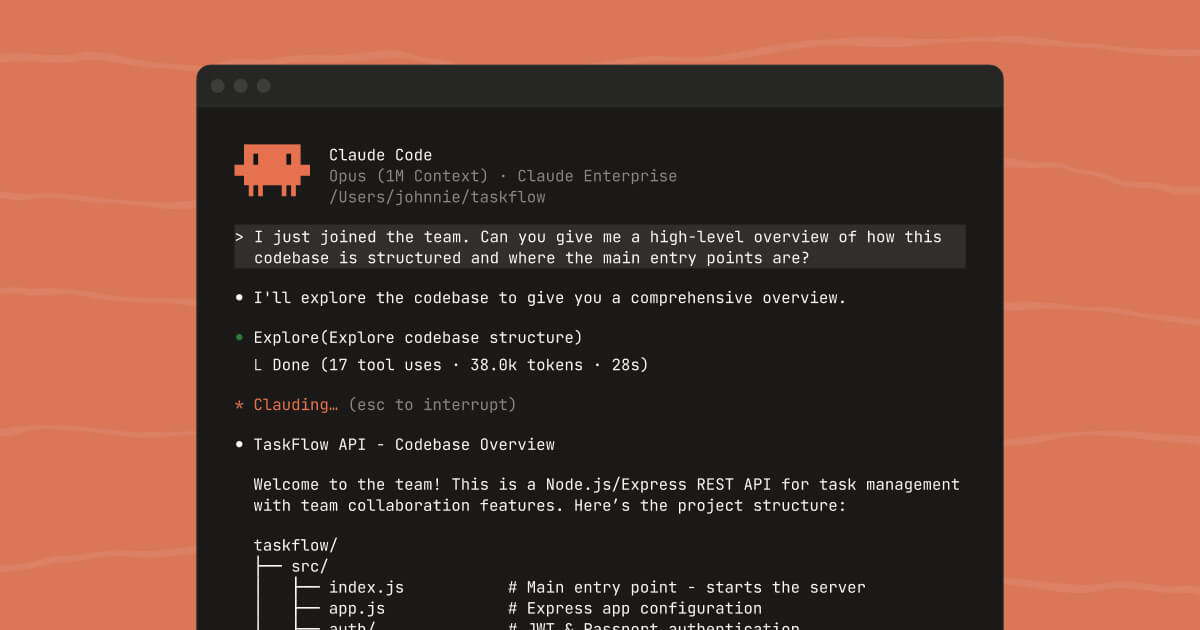
Claude Code by Anthropic is a terminal-based AI coding agent that has become the daily driver for many professional developers. You run it in your project directory, talk to it in natural language, and it reads your files, writes code, runs commands, tests, and iterates — all without leaving the terminal.
Where Claude Code shines is on complex, multi-file tasks in established codebases. It does not just generate code in isolation — it understands your project's architecture, reads your documentation, and makes changes that are consistent with how the rest of your codebase works. For refactoring, debugging, and feature implementation, Claude Code is the most capable agent available.
Claude Code's Key Features:
- Full Codebase Awareness: Reads your entire project directory, understands architecture, and generates code that follows your existing patterns
- Terminal-Native Workflow: Runs commands, tests, and debugging loops directly — no copy-pasting between a chat interface and your editor
- Multi-File Refactoring: Handles complex changes across dozens of files in a single session, maintaining consistency throughout
- Spec-Driven Development: Excels when given a clear spec or architecture document — it implements your vision rather than inventing its own
- Extended Thinking: Can reason through complex architectural decisions step by step before writing code, reducing errors on hard problems
- Git Integration: Understands version control context, can create commits, review diffs, and work within your existing branching strategy
7. Emergent — Build Full-Stack Web and Mobile Apps in Minutes
Emergent is a Y Combinator-backed (S24) platform that has grown explosively — reaching $100M ARR faster than almost any startup in history. It bills itself as more than a coding assistant: it is a fully integrated platform where AI agents autonomously design, code, test, and deploy your application from start to finish.
Emergent is particularly interesting for its self-debugging agents. When something breaks, the AI detects and fixes the issue autonomously — which addresses one of the biggest pain points of vibe coding (the endless "fix this error" loops). The platform supports both web and mobile app development, with a focus on letting anyone — not just developers — build production-grade software.
Emergent's Key Features:
- Autonomous Build Agents: AI agents handle the full cycle — from design and coding to testing and deployment — through natural conversation
- Self-Debugging: When errors occur, Emergent's agents automatically detect and fix issues rather than requiring you to debug manually
- Web and Mobile Support: Build both web applications and native mobile apps from a single platform
- Enterprise and Team Features: Supports team collaboration, enterprise-grade security, and production deployment at scale
- Conversation-Driven Development: Build production-ready apps through a chat interface — describe what you want and the agents execute
- Integrations: Connects with external services and APIs to build functional, connected applications — not just UI prototypes
8. Firebase Studio — Google's Full-Stack AI Workspace
Firebase Studio is Google's answer to the vibe coding movement. It is a cloud-based development environment powered by Gemini that accelerates the entire development lifecycle — backends, frontends, and mobile apps, all in one place. For founders already in the Google ecosystem, it is a natural choice.
The App Prototyping agent lets you create new applications using natural language, mockups, drawing tools, and screenshots. But Firebase Studio goes deeper than prototyping: it gives you a full VS Code-based cloud IDE, access to the Open VSX extension registry, built-in web previews, Android emulators, and one-click deployment to Firebase Hosting or Cloud Run.
Firebase Studio's Key Features:
- Gemini-Powered AI Agents: Built-in AI assistance for coding, debugging, testing, refactoring, and documentation — powered by Google's Gemini models
- App Prototyping Agent: Create full applications from natural language descriptions, mockups, or screenshots
- Full Cloud IDE: A complete VS Code-based development environment in the browser with support for most tech stacks and thousands of extensions
- Built-In Previews and Emulators: Test web apps with live preview and Android apps with built-in emulators as you build
- One-Click Deployment: Publish to Firebase App Hosting, Cloud Run, or your own infrastructure with a few clicks
- Free During Preview: Currently available with 3 free workspaces, with up to 30 for Google Developer Program members
Choosing the Right Tool
Not sure where to start? Here is a quick decision framework:
| Scenario | Recommended Tool | Why |
|---|---|---|
| Never coded before | Lovable or Bolt.new | Browser-based, zero setup, describe and build |
| Want a complete cloud environment | Replit | Full IDE + Agent + deployment in one place |
| Need pixel-perfect UI fast | v0 | Best-in-class React/Tailwind component generation |
| Developer who wants to move faster | Cursor + Claude Code | Cursor for daily flow, Claude Code for complex multi-file tasks |
| Fully autonomous app building | Emergent | Self-debugging agents handle the entire cycle |
| Already in Google ecosystem | Firebase Studio | Free cloud workspaces with Gemini AI and Firebase backend |
Have an app idea but not sure where to start?
We help founders go from napkin sketch to launched MVP — using the right vibe coding tools for your specific product.
Book a Free MVP Strategy Call →Vibe Coding Best Practices
The tools are powerful. But tools without process produce expensive messes. Here are the practices that separate shipped products from abandoned prototypes — drawn from our experience building MVPs with these tools and from the collective wisdom of the vibe coding community.
1. Start with a Spec, Not a Prompt
The biggest mistake is jumping straight into prompts without a plan. Every substantial project should start with a simple spec — even just a few sentences.
Bad approach: "Build me a CRM."
Good approach: "Build a simple CRM for a 5-person sales team. It needs a contact list with name, email, company, and deal stage. Users should be able to filter by deal stage, add notes to contacts, and see a dashboard showing total pipeline value. Use Supabase for the database and React for the frontend."
The spec constrains the AI's decisions so it implements your vision rather than inventing its own. This is what separates a productive session from an endless loop of fixing decisions you did not ask for.
2. Think Like an Architect, Not a Typist
Your job is not to prompt the AI into writing code. Your job is to make the decisions the AI cannot make, then direct it to execute.
You own: Architecture. Quality bar. Constraints. Scope. What to build and what to defer.
The AI owns: Implementation. The typing. The boilerplate. The syntax you would have to look up anyway.
When you frame it this way, vibe coding stops being "letting AI write your code" and becomes "directing an execution layer that works at machine speed."
3. Build Incrementally
Do not try to build your entire product in one prompt. Build one feature at a time:
- Get the first feature working and deployed
- Test it with real usage (even if just yourself)
- Add the next feature
- Repeat
Each prompt should do one thing well. "Add a CSV export button to the contacts table" is better than "add export, import, and data visualization to the CRM."
4. Treat Security as a Manual Checkpoint
AI-generated code has documented security blind spots. According to Veracode's research, 45% of AI-generated code introduces security vulnerabilities. The most common issues:
- SQL injection from string concatenation instead of parameterized queries
- Hardcoded secrets in debugging code the AI forgot to remove
- Missing authentication checks on API endpoints
- Cross-site scripting from skipped output encoding
The rule: Never ship vibe-coded authentication, payment processing, or data storage without a manual security review. The time you save by vibe coding should be reinvested into reviewing the output.
5. Know the Three-Month Wall
Vibe-coded projects tend to hit a wall around three months. The codebase grows beyond what the AI can hold in context, and the "whack-a-mole effect" sets in — you fix one issue and it creates cascading failures elsewhere.
How to avoid it:
- Maintain a living architecture document (CLAUDE.md, .cursorrules, or a markdown spec) that captures every major decision
- Break features into scoped tasks that do not require the AI to understand the entire system
- Commit often so you can roll back when the AI makes a mess
- Consider bringing in professional development support before you hit the wall, not after
6. Know When to Hand Off
Vibe coding collapses the cost and time to reach version 0.1. Getting from 0.1 to 1.0 — a product that reliably serves real customers — still requires engineering judgment.
When your product is getting real users and you start hitting walls, that is not a failure. That is product-market validation. That is exactly when you should bring in professional support to build the production version.
What You Can Actually Build
Let me be concrete. Here is what is genuinely buildable via vibe coding with no prior programming experience:
Simple SaaS tools
- Internal dashboards for tracking KPIs
- Lead scoring calculators for your sales team
- Client-facing portals for delivering reports
- Simple CRM-like tools for niche use cases
Landing pages and micro-sites
- High-converting product landing pages
- Event registration and waitlist pages
- Portfolio or case study showcase sites
Automation interfaces
- Form-to-database tools
- Simple booking or scheduling tools
- Internal tools that connect to APIs (Notion, Airtable, Slack)
- AI chatbots and lightweight AI agents for customer-facing use cases
MVP-level products
- Simple marketplaces
- Directory websites
- Tool-as-a-service with a single core function
If your idea has a simple, well-defined core function, a working version is achievable in a weekend.
How to Actually Start This Weekend
If you have an idea and want to test vibe coding, here is the simplest possible path:
Step 1: Define the one thing your product does Write a single sentence: "This tool lets [user] do [specific thing] by [mechanism]." If you cannot write this sentence, you are not ready to build yet.
Step 2: Write a mini-spec Spend 15 minutes writing down what the product needs: who uses it, what it does, what data it stores, and what the user flow looks like. This single step will save you hours of back-and-forth with the AI.
Step 3: Pick your tool and build If you have never coded before, start with Bolt.new or Lovable. If you want more control, open Cursor or Replit. Type your spec and watch it generate a working first version.
Step 4: Iterate with specificity The most effective prompts are specific: "Add a button in the top right corner that exports this table to CSV" rather than "make the export better." Treat the AI like a talented junior developer who needs clear instructions.
Step 5: Deploy immediately Get your MVP live — even if only you and two friends can see it — and start getting feedback from reality rather than from your imagination. Vercel, Netlify, and Replit all offer one-click deploys that are free for small projects.
Step 6: Know when to level up When you start hitting walls — complex integrations, security concerns, performance issues — that is not failure. That is validation. Bring in professional development support to build the real version on a solid foundation.
The Bottom Line
Vibe coding is democratizing software creation in a way that is genuinely historic. The barriers between "I have an idea" and "I have a product" have never been lower. 63% of active vibe coding community members are non-developers — PMs, founders, marketers, operators — building real software for the first time.
The honest framing:
- For MVPs and validation: Vibe coding is a superpower. An idea that would have cost $10,000–$50,000 to prototype with a development agency can now be tested in a weekend for the cost of a software subscription.
- For production software: Vibe coding is a starting point, not an ending point. The tools get you to version 0.1 fast. Getting from 0.1 to 1.0 still requires engineering judgment — whether from you learning more, hiring someone, or working with an agency that bridges the gap.
- The real skill is not prompting. It is clarity of thought. What problem are you solving? Who are you solving it for? What is the simplest version that proves the idea works?
Answer those questions well, and the tools will take you further than you imagined. Answer them vaguely, and you will build something that does not quite work and cannot quite explain why.
At Aurelius Media, we build MVPs and marketing-focused web tools using AI-native development workflows. If you have an idea and want to go from concept to deployed product fast — with real engineering judgment behind the build — let's talk. For broader context on how vibe coding fits into the marketing landscape, see our 2026 marketing trends analysis. And if you're thinking about how AI platforms are converging on advertising — OpenAI's new ads manager is a related development worth understanding as a budding new channel.
Frequently Asked Questions
What is vibe coding?
Vibe coding is a style of software development where you describe what you want to build in plain English and AI tools generate, iterate, and debug the code for you. The term was coined by OpenAI co-founder Andrej Karpathy in early 2025. Instead of writing code line by line, you direct AI agents to implement your vision — like a film director who does not need to operate the camera.
Can I build a real product with vibe coding if I have no coding experience?
Yes — with caveats. Simple SaaS tools, landing pages, internal dashboards, and MVP-level products are genuinely buildable with no prior programming experience using tools like Lovable, Bolt.new, or Replit. However, anything that handles real user data at scale, processes payments, or requires complex integrations will eventually need professional engineering support. Vibe coding gets you to version 0.1. Getting to version 1.0 requires engineering judgment.
Which vibe coding tool should I start with?
If you have never coded before, start with Lovable or Bolt.new — they are browser-based and require zero setup. If you want a more complete environment, try Replit. If you are a developer, Cursor is the best entry point for AI-assisted coding, and Claude Code excels at complex multi-file tasks. The choice depends on your technical background and what you are building.
Is vibe coding safe for production apps?
Not without review. According to Veracode's research, 45% of AI-generated code introduces security vulnerabilities — including SQL injection, hardcoded secrets, missing authentication checks, and cross-site scripting. Never ship vibe-coded authentication, payment processing, or data storage without a manual security review. The time you save by vibe coding should be reinvested into reviewing the output.
What is the difference between vibe coding and no-code tools like Bubble or Glide?
The critical difference is that vibe coding generates actual source code — React, Python, TypeScript, whatever you need. You get the flexibility of custom development with the speed of a drag-and-drop builder. No-code tools lock you into their proprietary platform and have hard limits on customization. With vibe coding, you own the code and can always export it, hire a developer to extend it, or switch tools entirely.
How long does it take to build an MVP with vibe coding?
For a simple, well-defined product with a single core function, a working MVP is achievable in a single weekend. More complex products with multiple features, database integration, and authentication typically take 1–2 weeks of focused vibe coding sessions. The speed depends entirely on how clearly you define what you are building — a good spec is the single biggest accelerator.
What is the three-month wall in vibe coding?
The three-month wall is a documented pattern where vibe-coded projects start breaking down as the codebase grows beyond what AI tools can hold in context. You fix one issue and it creates cascading failures elsewhere — the "whack-a-mole effect." To avoid it, maintain a living architecture document, break features into scoped tasks, commit often, and consider bringing in professional development support before you hit the wall.
Can vibe coding replace hiring a developer?
For prototyping, validation, and simple internal tools — yes, in many cases. For production software that needs to be reliable, secure, and scalable — no. The most productive approach is using vibe coding to validate your idea fast and cheap, then bringing in professional development support once you have proven product-market fit. Think of vibe coding as the fastest path to knowing whether your idea is worth the investment in proper engineering.